
Clay County Court Calendars Explained
Clay County posts no single countywide court calendar. A future setting can surface in several places instead. It may appear in a Superior case docket. It may also appear on the public Pataula circuit calendar, on a traffic citation, or in a clerk's office record. Each source does a different job. The docket is the stronger historical record. It preserves notices, orders, continuances, and disposition entries. A calendar is only a schedule view, so an empty result can mean several things. The public event may not be posted yet. The date range may be wrong, or the matter may belong to another court.
Online, start with the PeachCourt search route when you have an account. The Pataula Keep&Share calendar supplies a circuit-level schedule interface. Superior, Probate, and Magistrate clerks remain the local confirmation points. Fort Gaines municipal dates require the city route named on the citation. A Clay County court date is reliable only when the court agrees. The newest docket or office confirmation must agree too.
Clay County Court Calendar Controls
The public Pataula calendar is a named portal worth checking. But it is no substitute for a case file. You can switch among Day, Week, Month, Year, Event, Tag, and Timeline views. A text box asks what to search for. Date controls set a From and To range. Advanced options round out the public toolset. So do event notes, overlays, tag filters, print, export, and reset actions.
The Pataula calendar view presents the control set rather than any Clay-specific event. Start with a narrow date range. Broaden it if the event does not turn up. Print and export can preserve a schedule view for personal reference. Neither turns that view into a certified record, and neither proves a case was dismissed.
The year controls run from 2019 through 2033. The public month view offers no full Clay daily docket. It offers no complete list of courtroom assignments either. That gap is why clerk and judge-office phone checks matter.
| Calendar field or control | Type | Use in a Clay date search |
|---|---|---|
| Time zone | Select | Sets the displayed time zone for the calendar view. |
| Day, Week, Month, Year, Event, Tag, Timeline | View buttons | Changes the calendar presentation and the level of event detail. |
| What do you want to search for? | Text field | Searches the text of published calendar content when an event has been posted. |
| Dates | Select | Chooses the date-range mode for the search. |
| From and To | Date fields | Limits the period searched; use a narrow range first. |
| Advanced | Option | Opens additional calendar search controls. |
| Include Event Notes | Checkbox | Includes notes in the event search when notes are published. |
| Include Overlays | Checkbox | Includes linked calendar overlays when available. |
| Tags and Check all tags | Filter | Narrows event categories if the public calendar has tagged entries. |
| OK | Button | Runs the selected calendar search. |
| Today and Reset | Buttons | Returns to the current date or clears the current view. |
| Reset Search | Button | Clears search terms and date filters. |
| Print Results and Export Results | Buttons | Prints or exports the displayed schedule; neither action certifies a court record. |
The public Pataula calendar view presents the controls a Clay County date search uses, from view switches to date ranges and export.
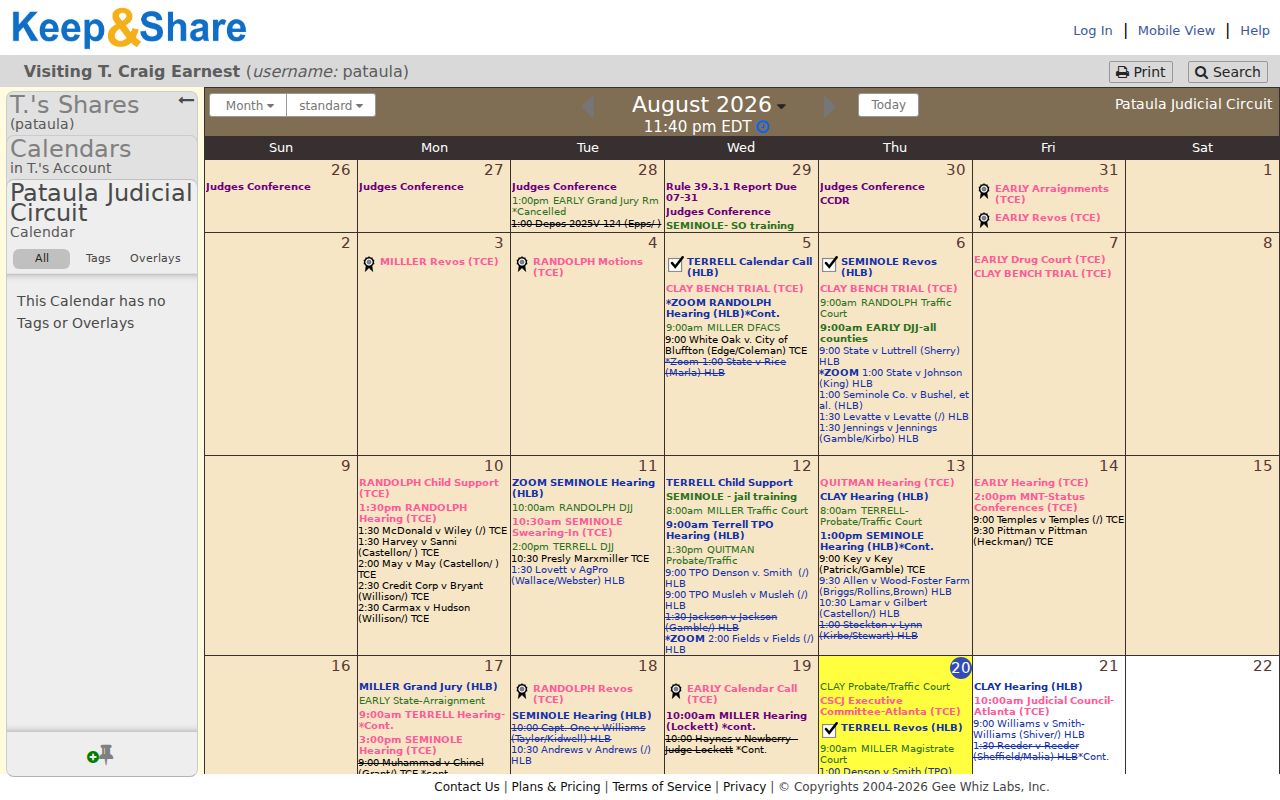
The view controls let a reader change views, search dates, and export a result. No live Clay case appears there. A blank screen never proves a hearing is absent.
Finding Your Court Date
Begin with the paper that set the obligation to appear. A citation, notice, indictment, petition, or signed order usually names the court. It usually gives the first date too. Use that court name. Use the case number exactly as printed. If a Superior matter is already in PeachCourt, its case information may list calendar events. It may list proceedings too. Traffic works differently. Use the citation number and the court printed on the citation. Do not guess from a countywide search.
- Identify the court and matter type. Superior and Juvenile clerk records route to Patricia Thornton's office; county traffic routes to Probate; small claims, warrants, garnishments, and dispossessory matters route to Magistrate; Fort Gaines city citations route to the city.
- Try the online source that matches the court. Search Clay Superior in PeachCourt, check the Pataula Keep&Share calendar for a published circuit event, or use EZ Court Pay when the paper citation is a Clay county traffic citation.
- Read the newest setting or event. Note the date, time, location, judge, case number, style, and setting type. Compare a new date with older notices so a reset is not mistaken for the current hearing.
- Call the correct clerk when the online result is missing, unclear, or stale. Superior is (229) 768-2631, Probate is (229) 768-2445, and Magistrate is (229) 768-2841.
- Confirm any remote proceeding or courtroom change with the judge's office and check the Georgia emergency-order page before relying on an old date.
A lawyer or party may hold a notice that never reached a public calendar. A calendar can look complete and still miss it. Confirm with the clerk. For a case number search, the Clay County Case Lookup can help locate the underlying case before the setting is read.
Clay County Court Date Channels
Each documented route has its own scope. PeachCourt is the account-based public access layer for Clay Superior's electronic filing and document system. It may show case events, but the provider's general historical coverage does not guarantee coverage of each Clay file. The Pataula calendar is a public circuit schedule. It can support a judge or event search. The public view shows no Clay event list.
The three county counters split the phone and in-person work. The Superior Clerk sits at 210 Washington Street South, Suite 3, in Fort Gaines, open 8:00 a.m. to 4:30 p.m., Monday through Friday. Probate is at 210 Washington Street, Suite 1. Magistrate is at 210 Washington Street South, Suite 5. Their published numbers are the practical route when an online setting is absent. The separate Superior courtroom is listed at 145 Wilson Street, so ask the clerk to confirm the place of appearance.
Video proceedings have their own rule. The Pataula court-schedule instructions say to contact the judge's office at least 24 hours before observing. Chief Judge T. Craig Earnest is listed at (229) 524-2149. Judge Henry L. Balkcom IV is listed at (229) 234-3231. Those contacts do not replace the clerk for every Clay setting, but they are a documented circuit channel for remote-observation details.
How to Read a Court Setting
A setting line records one appearance, nothing more. It is not a ruling on the case. Read the date, the court, and the case number together. A bare date can match the wrong matter. A status of disposed does not erase a later appeal or review entry either. Uniform Superior Court Rules 39.2 and 39.3 lay out the civil and criminal docket fields. They help explain what a Clay Superior setting actually says. Treat the line as a snapshot, then confirm with the clerk.
| Date | The scheduled day. Compare it with the newest notice, signed order, or later reset entry. |
|---|---|
| Time | The published start or docket-call time. A group docket call may not be the exact time a single case is heard. |
| Courtroom | The place listed for the appearance. Clay materials distinguish the Superior clerk counter at 210 Washington Street South from the Superior courtroom at 145 Wilson Street. |
| Judge | The presiding judge or court office connected to the setting. Use the judge-office contact when the setting is remote or the courtroom is unclear. |
| Case number and style | The action number and short case caption used to match the event to the right file. |
| Setting type | A label such as arraignment, preliminary hearing, motion hearing, status conference, trial, sentencing, probate hearing, or traffic arraignment. |
Clay County Court Calendar Gaps
An empty Pataula calendar tells you almost nothing. The public month view shows no Clay event, and the county posts no daily printed calendar or public terminal listing. Even so, a case can still carry a setting in the docket, a citation, a judge's list, or a clerk file. The same caution applies when a PeachCourt search comes back empty for a lower-court case, an older file, a Juvenile matter, or a restricted document.
Treat the gaps as routing clues. Superior-related? Ask the Superior Clerk for the newest public setting. Probate or county traffic? Call Probate. Magistrate civil, warrant, or dispossessory? Call Magistrate. A Fort Gaines citation belongs to City Hall at 103 Commerce Street W., (229) 768-2443, and the county Probate calendar will not carry that city matter. Know the court and the clerk before you chase the date.
Georgia's court structure matters here too. Clay has no separate State Court in the official county, clerk, or Pataula directories. Picking a State Court calendar just because another Georgia county has one sends you to the wrong docket every time.
Accountability-court pages add circuit context but no participant calendar. The Pataula Drug Court profile lists the seven counties served and the program contact. It does not create a public case calendar of its own.
The Pataula accountability-court profile confirms the circuit context while the underlying court docket and clerk keep each individual setting.
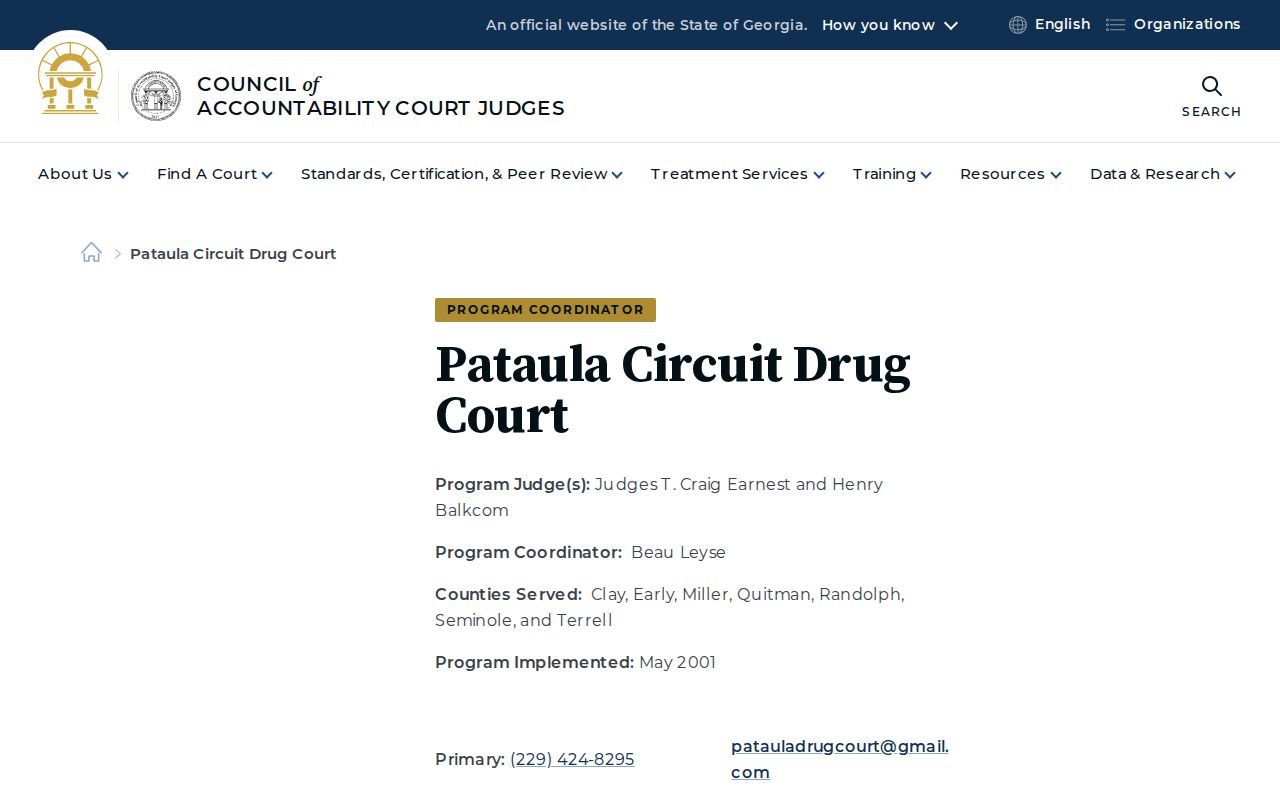
The Pataula program page is a good example of the split. It gives useful court context yet leaves the individual setting with the court docket and the clerk.
Continuances, Resets, and Cancellations
A continuance postpones a proceeding. A reset gives it a new setting. A cancellation removes or changes the planned appearance. This often happens because an order, plea, settlement, emergency closure, or scheduling decision shifted the calendar. The old date can linger in the docket as history. A party should not appear on it after a later reset.
Read the sequence from oldest to newest. Look for a notice of setting. Then look for a motion or order, then a continuance or reset entry, then the next future setting. If the public calendar drops an event, compare it with the case docket. Then ask the proper clerk whether the event moved, was held, or came off entirely. A missing calendar row is not a dismissal. A signed order or clerk confirmation beats a printout that has not refreshed.
Clay publishes no local list of reset abbreviations and promises no refresh interval. Use full words in any request and ask which date is current. An emergency order affecting the Pataula circuit can change filing or appearance administration. It does not rewrite every older calendar display.
Clay County Court Emergency Orders
Weather and emergency orders are a real date-check step. Georgia Courts posts Pataula materials on its emergency judicial orders page. Hurricane Helene materials from September 2024 show why a posted setting sometimes needs a second confirmation. A Pataula local order dated January 23, 2025 does the same. An order may address continuity or deadlines. The clerk or the judge's office confirms the specific case.
Check the emergency page when a court office closes, travel turns unsafe, or a remote link changes. Also check it near a declared judicial emergency. Then call the court that holds the case. A statewide notice is not a local Clay answer. A local order does not move every unrelated matter either, unless its terms say so.
The Georgia Courts emergency-orders page shows the dated notices. Use them to check a changed setting.
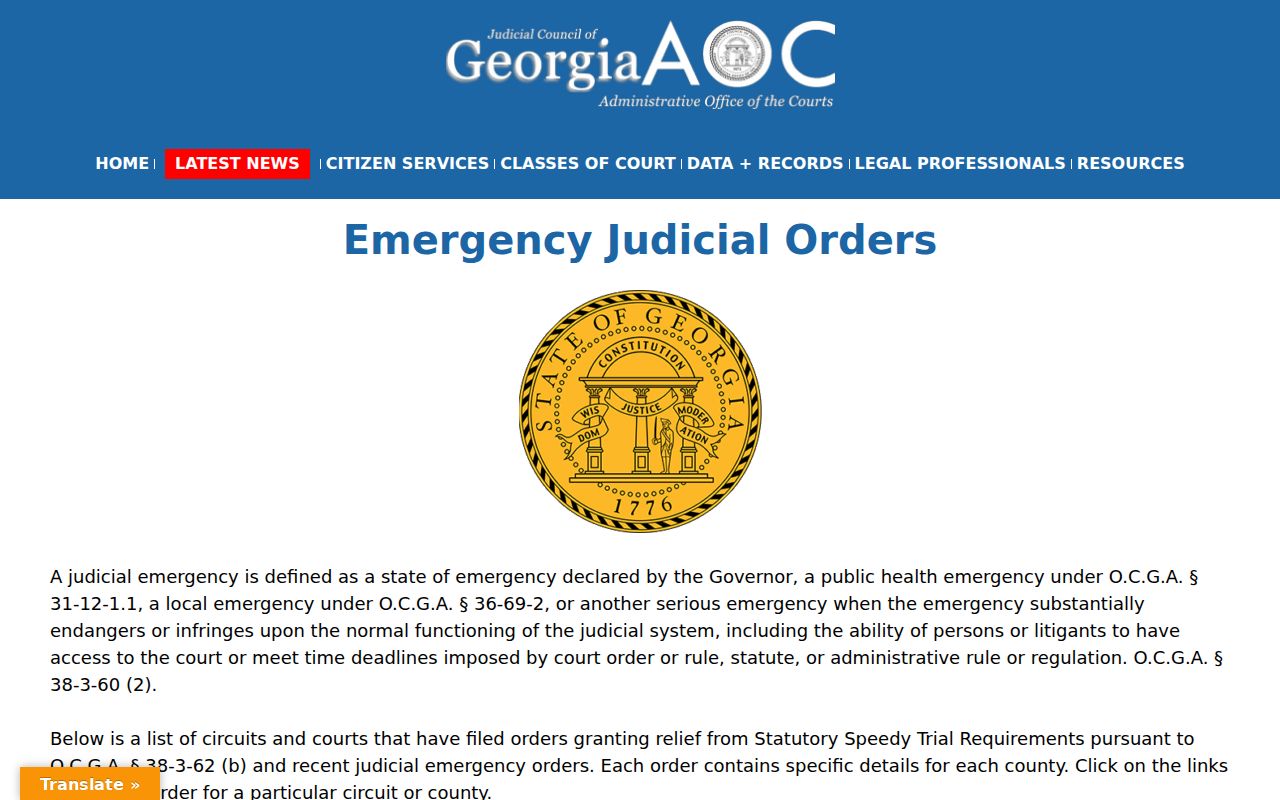
Dated notices beat stale printouts. Check the emergency order before you confirm any changed setting. Keep the order date handy when you ask a Clay clerk to confirm.
Clay County Traffic Court Dates
Traffic runs on its own track in Clay County. There is no statewide citation database, per Georgia Courts. A ticket may not show online for 7 to 21 business days. Clay Probate Court handles county traffic tickets. You can reach that office at (229) 768-2445. Walk in at 210 Washington Street, Suite 1. For online payment, the EZ Court Pay form needs your date of birth. It also takes a citation number or last name.
Pay before arraignment and you may not have to come in, the court says. Paying on the arraignment date itself is different; you still must appear. Contesting the ticket also means showing up, entering a not-guilty plea, and getting a later hearing date. One caution: those rules come from citation instructions, so a municipal ticket may not follow the same steps.
Fort Gaines citations go through the city instead. City Hall sits at 103 Commerce Street W. It answers at (229) 768-2443. The city's own resource page sends citation billing to GovPayNet. When EZ Court Pay returns nothing, call the city and ask about the setting. In state reporting, GA030011J is the DDS identifier for Fort Gaines Municipal Court. It labels the court, not any single case.
If You Miss a Court Setting
Miss a Clay County court date? Move fast. What happens next turns on which court you were in. It also turns on the case type, why you missed it, and what the judge wrote into the record. The docket might list a failure to appear, a bench warrant, or a bond action. It might simply list a new date. A calendar search alone cannot tell you which way your case went.
Missed a Setting? A missed appearance can lead to a failure-to-appear entry, bench warrant, bond forfeiture, or another court order.
Contact the correct clerk or judge's office at once, explain that the setting was missed, and ask whether a new date or order is recorded.
For a Clay County criminal, traffic, or civil matter, seek advice from a licensed Georgia attorney about the safest next step before appearing or making a payment.
Don't sit around waiting for the Pataula calendar to update. Call the right clerk now: (229) 768-2631 for Superior, (229) 768-2445 for Probate traffic, and (229) 768-2841 for Magistrate. A Fort Gaines municipal case starts at City Hall. Have your citation, case number, court date, and any emergency paperwork in hand. Then dial.
Clay County Remote Court Dates
Want to watch a video proceeding? The Pataula court-schedule page has one firm rule. Contact the judge's office at least 24 hours ahead. That instruction helps you request a remote link or observation details. It does not turn every Clay County case into a remote one. The case notice, a judge's order, or clerk confirmation decides how you appear.
Whenever a remote setting appears, confirm the date, time zone, and link. Confirm the courtroom or division too. Also confirm any ID or document rule with the court that issued it. If no link is posted, pick up the phone. Don't assume the hearing was cancelled. Pataula circuit contacts can route you to the right judge's office. The three Clay clerks still backstop everything on the record itself.