
How to Search Cases by Name
Searching by party name helps when the case number is unknown. It is also the broadest route. So treat hits with care. PeachCourt asks you to pick the county and the court before typing anything. Then enter a party name or an exact case number. For a Clay County Superior Court matter, choose Superior Court and nothing else. A match from the wrong court can look almost right. It can point at a case that has nothing to do with yours.
- Read the citation, notice, petition, or other paper and identify the court, party role, and exact spelling of the name.
- Open PeachCourt and register if the provider requires an account for search access.
- Select Clay County and then select the court that holds the matter. Do not treat Georgia's E-Access directory as the search form.
- Use the Party Name field when no case number is known, then review the court, filing date, case style, and party role for each result.
- Open the case-information or docket layer, record the newest event and status, and call the correct clerk if the result is incomplete.
Always check a name result against the case type and the filing date. The case search returns an index, not a certified copy. A matching party name alone proves nothing. It does not confirm that a document or hearing date is current. Call the clerk to be sure.
Clay County Case Search Account Gate
Georgia Courts frames its E-Access page as a directory that points readers to a provider. Clay Superior is listed there. But the provider's public search route requires an account first. No Clay County case lookup can happen without one. PeachCourt registration is free, yet the form itself stands between you and the docket. No anonymous case results come back. That form asks for plenty. It wants Last Name, First Name, Email Address, a confirmation email, a password, a confirmation password, a secret question and answer, reCAPTCHA, and an agreement checkbox for the terms. A free account does not make everything free. Under its current terms, PeachCourt keeps case information and docket access separate from paid document retrieval. The PeachCourt registration page shows the account fields a Clay County case search runs through.
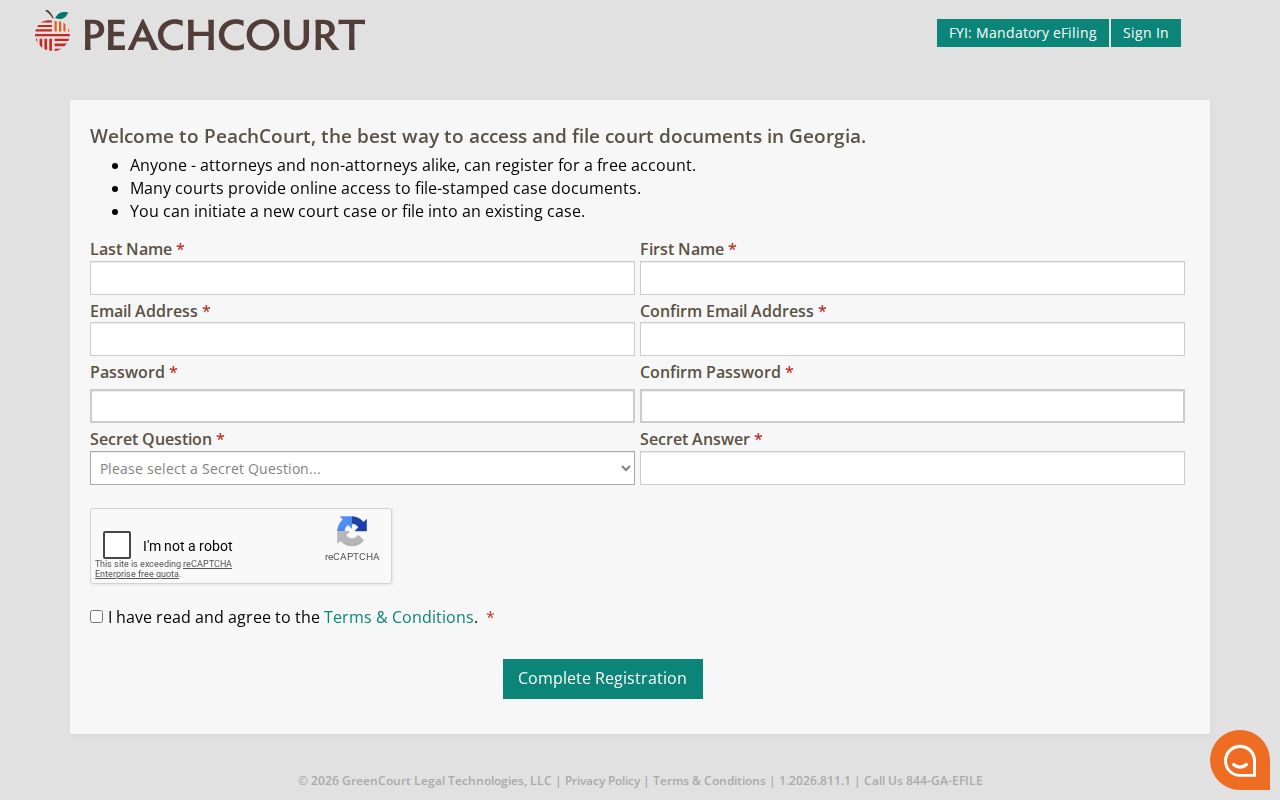
The registration image explains the gate, not a case. It displays no Clay County case and no party information. Read it only as the sign-up step on the search path.
Clay County Case Search: PeachCourt
PeachCourt is the closest public online case and document layer for Clay Superior. The Georgia e-filing matrix marks Clay Superior as mandatory on PeachCourt. The state E-Access directory and PeachCourt are related but not the same thing. E-Access tells you which provider serves a court. PeachCourt is where a registered user lands. There you can open case information, a docket, or a route to buy a document. The core route is simple. Choose the county and the court. Then enter an exact case number or a party name. Results may offer View Case Docket and File into this Case actions. The county and court dropdowns are not fully exposed without an account. Clay Superior is the documented option. Confirm lower courts with their own offices before assuming coverage.
| Field or control | Type | Required | Clay route and format notes |
|---|---|---|---|
| County | Selector | Yes | Select Clay County before choosing the court; the full public option list is hidden behind the account gate. |
| Court | Selector | Yes | Choose Superior Court of Clay County for a Superior file. No separate Clay State Court option was found in the official directories. |
| Case Number | Text | Optional alternative | Use the exact number printed on a court paper or supplied by the clerk. No public Clay format guide was located. |
| Party Name | Text | Optional alternative | Use the party spelling shown in the filing; compare court, filing date, and role before opening a result. |
| Search | Button | Action | Runs the county, court, number, or name query. |
| View Case Docket | Result action | After a match | Opens the available case-information or docket layer; filed images can have separate access terms. |
The PeachCourt search support page lays out the county, court, case number, and party-name route.
The support image confirms the order of operations. Court selection comes before the name or number query, and that order keeps a broad search from hiding a routing error into the wrong court.
How to Search by Case Number
An exact case number is the cleanest route. It usually beats every other Clay County search method. Copy it straight from the source. That means the citation, indictment, petition, order, or earlier clerk correspondence. Keep every letter and punctuation mark as printed. Clay publishes no case-number-format guide, so a made-up example would mislead. If the system rejects the number, call the clerk instead of guessing at changes. Run the exact number against Clay Superior first. A blank result may mean the case sits elsewhere. It could be in Probate, Magistrate, Juvenile, county traffic, or Fort Gaines Municipal Court. A case-number search cannot pull a record from a court PeachCourt does not expose. It also cannot open sealed or juvenile records. Excluded documents stay closed to the public too. Do not confuse the case number with a court identifier. The code GA030011J shows up in Georgia DDS reporting for Fort Gaines Municipal Court. It names the reporting court, not one Clay County case. Your citation or the clerk supplies the real number. Use that case or citation number for the file search.
Clay County Case Search Result Layers
A returned case comes in layers. First comes the match list. Next is the case-information view. It may show parties, court, status, judge, charge or cause, events, and disposition. The docket layer lists proceedings in order. A document link sits deeper still, and opening it may require an eAccess charge or account permission. PeachCourt's criminal support lists fields such as assigned judge, case status, co-defendants, prosecuting attorney, defense attorney, charges, calendar events, docket proceedings, disposition, disposition date, and documents. Rule 39.2 and Rule 39.3 set the official Superior civil and criminal field schemas. The online provider may show only part of that list.
| Case number | The unique action, indictment, or accusation identifier returned by the court system. |
|---|---|
| Court and filing date | The court selected for the search and the date the clerk recorded the action or case opening. |
| Parties and attorneys | Party roles, co-defendants where shown, prosecuting or defense counsel, and attorneys of record. |
| Judge and status | The assigned or final-disposition judge and a status such as pending, disposed, or dismissed when displayed. |
| Charge or cause | Criminal counts and classification, or the civil cause of action, when the provider exposes the field. |
| Events and proceedings | Calendar events, motions, hearings, pleas, orders, judgments, or other docket entries with dates. |
| Disposition and documents | The recorded outcome and any linked document layer. A document image is not automatically a certified clerk copy. |
What a Case Search Shows
A Clay County case search answers two questions fast. It shows whether a case-information record exists, and it lists the broad activity the provider displays. Typical fields include the case number, filing date, court, style, and parties. Judge, status, charge or cause, proceedings, calendar events, disposition, and document links may appear too. Coverage varies, though. No court or year is guaranteed the full list, and document coverage can differ from docket coverage.
Read the newest entry with care. A case marked disposed can still pick up a later appeal, remittitur, sentence review, or execution entry. A charge or petition is an allegation or a filing, not the final result. A calendar event only schedules an appearance. It does not prove the hearing occurred. Pair the display with the underlying docket, and get a certified copy from the custodian when the stakes are real.
The Superior rules show why. Rule 39.3 sets the criminal fields. For a Superior criminal case it lists the defendant and OBTS number, offenses, plea and plea date, trial type, disposition, sentence, warrant, appeal, and remittitur information. Rule 39.2 governs Superior civil cases. Its fields cover service, pleadings, costs, judgment, prevailing side, Fi. Fa., trial, appeal, and storage references. No short result screen can carry all of that, which is why the complete court file still matters.
Clay County Case Search and E-Access
Georgia's E-Access directory is a routing map. It is not a statewide public search box. The Clay Superior listing names a provider and explains that provider access requires an account. The directory does not merge Probate, Magistrate, Juvenile, county traffic, and municipal matters into one search. So the PeachCourt account gate is a feature of the provider route. It is not evidence of one public case database.
Clay Superior's e-filing connection appears in the official Georgia e-file court-records matrix, which marks PeachCourt mandatory. PeachCourt serves as the public-facing electronic layer for the court listed there. Patricia Thornton's office remains the official custodian. A provider result can locate a case. Certified copies and access questions still belong to the clerk.
The PeachCourt search URL shows the gate.
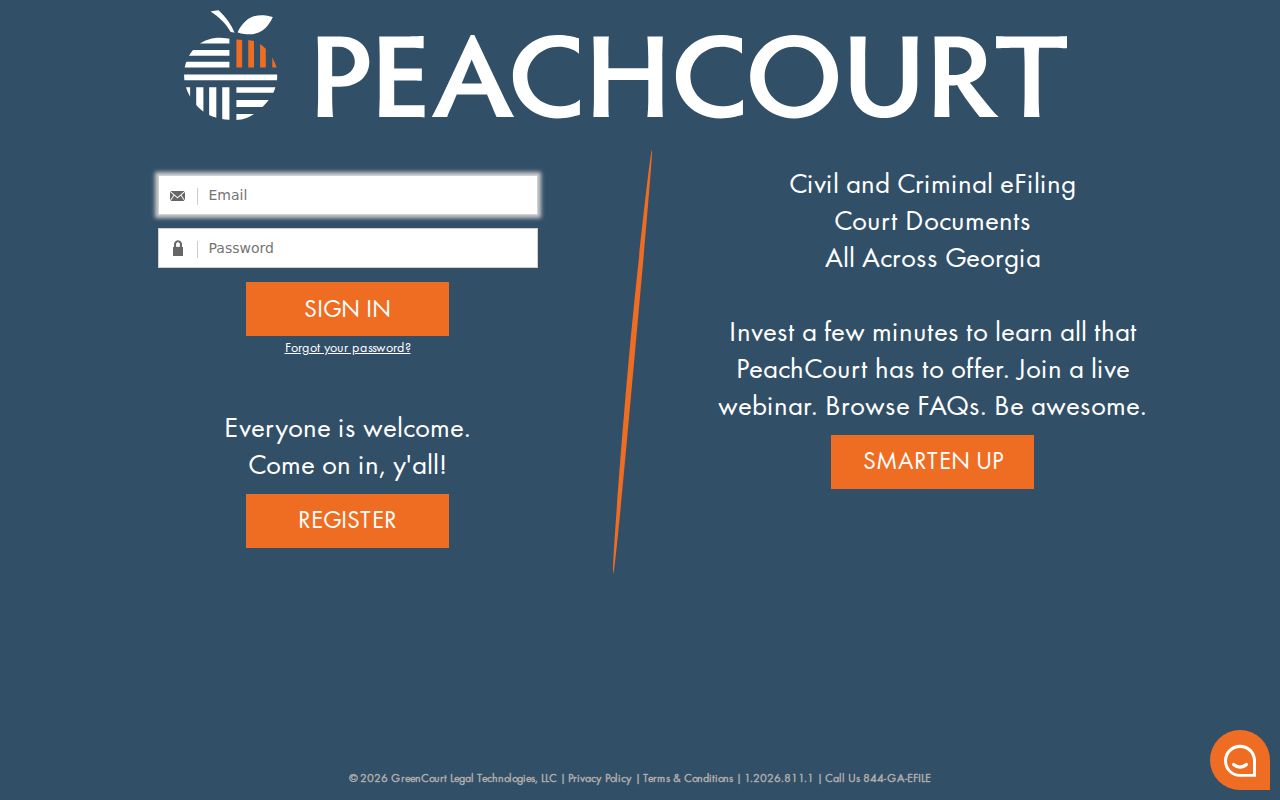
The gate on that page matters. Don't count on an anonymous search result. A reader who cannot use the provider route should move to the correct county clerk, never to an unofficial database.
County vs Statewide Case Search
Clay users hear “statewide search” and expect one result screen. Georgia's official structure is different. The state provides a court and provider directory, while the actual Clay Superior case search runs through an account at PeachCourt. Lower courts and municipal matters stay separate. The comparison keeps the roles distinct.
| Route | What it is | Clay coverage | What to do next |
|---|---|---|---|
| PeachCourt case search | Provider search and electronic case/document layer | Clay Superior, with account access and separate document terms | Select county and court, search by number or party, then read the case layer. |
| Georgia E-Access directory | State court/provider directory | Lists Clay Superior but is not an anonymous case-result list | Follow the provider route and read its access requirements. |
| County clerk offices | Official local custody and fallback | Superior/Juvenile, Probate/traffic, and Magistrate are split | Call or visit the office that holds the case type. |
| City and citation portals | Lower-court payment or citation lookup tools | EZ Court Pay and Fort Gaines city billing serve narrower routes | Use the court named on the paper citation. |
Clay County State Court Search Gap
Clay County runs no separate State Court. The official county office directory, the GSCCCA clerk profile, and the Pataula judicial roster list none. The county's primary trial court is the Superior Court of Clay County. That matters during a case lookup. Choosing a State Court filter that belongs to another Georgia county can hide the correct Superior result.
Route the query by case type. Felony, major civil, domestic-relations, real-estate, and Juvenile clerk records begin with Superior. Estates and guardianships begin with Probate. Claims up to $15,000, warrants, garnishments, and dispossessory matters begin with Magistrate. Fort Gaines traffic and ordinance cases belong to the city court route. Court selection is factual, not an optional filter.
Clay County Case Search Fallbacks
FANS and EZ Court Pay both help. Neither is a general case search. FANS is the Superior Clerk's Filing Activity Notification System. It sends alerts tied to filing activity. It is not a complete result list, and it does not replace the case docket. Take a FANS match back to PeachCourt or the Superior Clerk for the actual file.
EZ Court Pay is narrower still. It handles citation lookup and payment. The public form requires Date of Birth and accepts either Citation # or Last Name, both text fields with a maximum length of 50, plus a Search control. Georgia Courts says there is no centralized traffic database. Online availability may take 7 to 21 business days. For county traffic, fall back on Clay Probate at 210 Washington Street, Suite 1, (229) 768-2445. Fort Gaines city citations go to City Hall, 103 Commerce Street W., (229) 768-2443.
Lower-court gaps are expected here. Magistrate case information is held at Suite 5, (229) 768-2841. Probate, estate, guardianship, and county traffic records live at Suite 1. Juvenile records route through the Superior Clerk but carry special restrictions. So an empty PeachCourt search cannot rule out a lower-court, older, or restricted Clay case.
Restricted Cases and Access Rules
Georgia starts from the premise that court records are public. Yet public does not mean unrestricted. Superior Rule 21 and Rule 21.6 govern access, sealed filings, and protected identifiers. Juvenile, adoption, and certain confidential materials carry extra limits on top of that. Probate treats a will filed for safekeeping as something other than a public record. PeachCourt likewise leaves sealed filings, adoption documents, and proposed unexecuted orders out of its document materials.
So a blank result can mean several different things. The matter may sit in the wrong court. It may predate the electronic coverage, belong to Juvenile, or be sealed. The document itself might be excluded, or the public record may live with a lower-court clerk. A criminal-history restriction under O.C.G.A. section 35-3-37 runs on its own track. It never scrubs the Superior docket by itself. Before assuming a disposed case was sealed, ask the responsible clerk. Ask what public docket or redacted copy still exists.
The redaction rules fill out the picture. Rule 21.6 requires a redacted public version whenever protected information is filed under seal. Magistrate Rule 20 narrows visible identifiers to the last four digits and the year of birth. It puts that duty on the filing party. That is why a docket search can display the action itself. It can hold back a document or a personal field.
Clay County Case Search Code Warning
The code GA030011J shows up in Georgia DDS monthly traffic reports. There it stands for Fort Gaines Municipal Court. Treat it as a court-reporting identifier and nothing more. It does not point to any single ticket, indictment, civil action, or case file. Pasting it into a case-number field tends to return nothing. Worse, it can steer the search toward the wrong court.
Each office keeps its own numbering. On the city route, use the citation number printed on the Fort Gaines paper citation. Or ask City Hall for the case or citation identifier. For a Superior file, rely on the number supplied by Patricia Thornton's office. Probate and Magistrate issue their own case numbers as well. Whenever a code surfaces in a statewide report, confirm what kind of identifier it is. Keep it away from any case-search field until then.
Clay County Lower-Court Case Search
Sitting inside Clay County does not put the lower courts on PeachCourt. Each one keeps its own docket. Magistrate handles civil claims up to $15,000, warrants, and preliminary hearings. It also takes minor offenses, garnishments, and dispossessory matters. Probate covers wills, estates, guardianships, vital records, and county traffic. Fort Gaines Municipal Court takes city traffic and ordinance matters. Juvenile cases run through the Superior structure under clerk management. They are not ordinary public name-search records.
Paper and the telephone are the tools here. Ask each office for the case number, the filing or citation date, and the party name. Ask for the public status too. When a legal filing hinges on the result, request a clerk-certified copy. Go to the office holding the file. An online payment screen often shows only a balance or citation status. It may not show the full docket, the pleadings, or the outcome.
Clay County Search Access Limits
PeachCourt support describes historical case coverage at many courts reaching roughly 2005. That is a general provider pattern, not a Clay guarantee. Never assume a complete electronic run for every Superior case. Rule 39.2 and Rule 39.3 both reference off-site storage. That hints older files may require a clerk request.
Costs differ between the search result and the document image. Current PeachCourt terms list $2.00 per eAccess document and $0.50 per page. A 3.5% plus $0.30 transaction fee also applies. A party or eFiler may get its own eFiled documents at no charge. Manual or criminal documents can still carry fees. The official record always remains with the clerk. For anything missing, older, Juvenile, lower-court, or restricted, fall back on the office itself rather than an unofficial search service.